This blog post is a cut-down version of 2 articles that theorised the AutoRo natual language car searching for car dealerships. The post covers a high level summary of the core components. For a more comprehensive understanding of AutoRo's technology - please see our medium article posts by myself, Rosh Plaha.
With that said, see below of the idea behind AutoRo and initial decision process to help car dealerships innovate their car search experience and insights.
Introduction
In this series — I’m combining two passions of mine. Building tech and cars. The preface to this series is that I spend a lot of time on car trading websites — browsing for cars with all manner of specifications, price, age and rarity. The current website I use are Autotrader and Carandclassic. Whilst they provide an overall good user experience, I feel we are missing something in how we should be interacting with these websites in the advent of Large Language Model (LLM) commoditisation.
Fixing something that is not broken - but can be improved
There is nothing wrong with the search features on Autotrader and Carandclassic. The websites provide the right level of query fine tuning for people who know exactly what they’re looking for — or a more casual user who has a broader set of search criteria. The websites are responsive and they provide the detail you need at a glance.
And yet, I feel the way we will search for anything is changing in favour of Natural Language. ChatGPT has forever changed our ability to query for information. For the last 30 years — we’ve been largely dependent on searching mainly with keyboards to control dropdown menus or search bars. Although the current websites work well — I feel searching in this way is starting to feel antiquated. A bit like buying a car without parking sensors.
With the rise of popularity of devices like Meta Glasses, I believe the modal to how we will search in the future will likely be driven by voice input — with visuals being displayed via glasses or screens we are familiar with.
As such, in this series I want to explore the architecture needed to build with Natural Language Processing (NLP) search systems. This is with the idea that in the future — it could be readily extended to other modals like speech. I will explore how we need to build websites, backend systems and databases to support NLP and LLM integration.
The objective; how I want to be able to search?
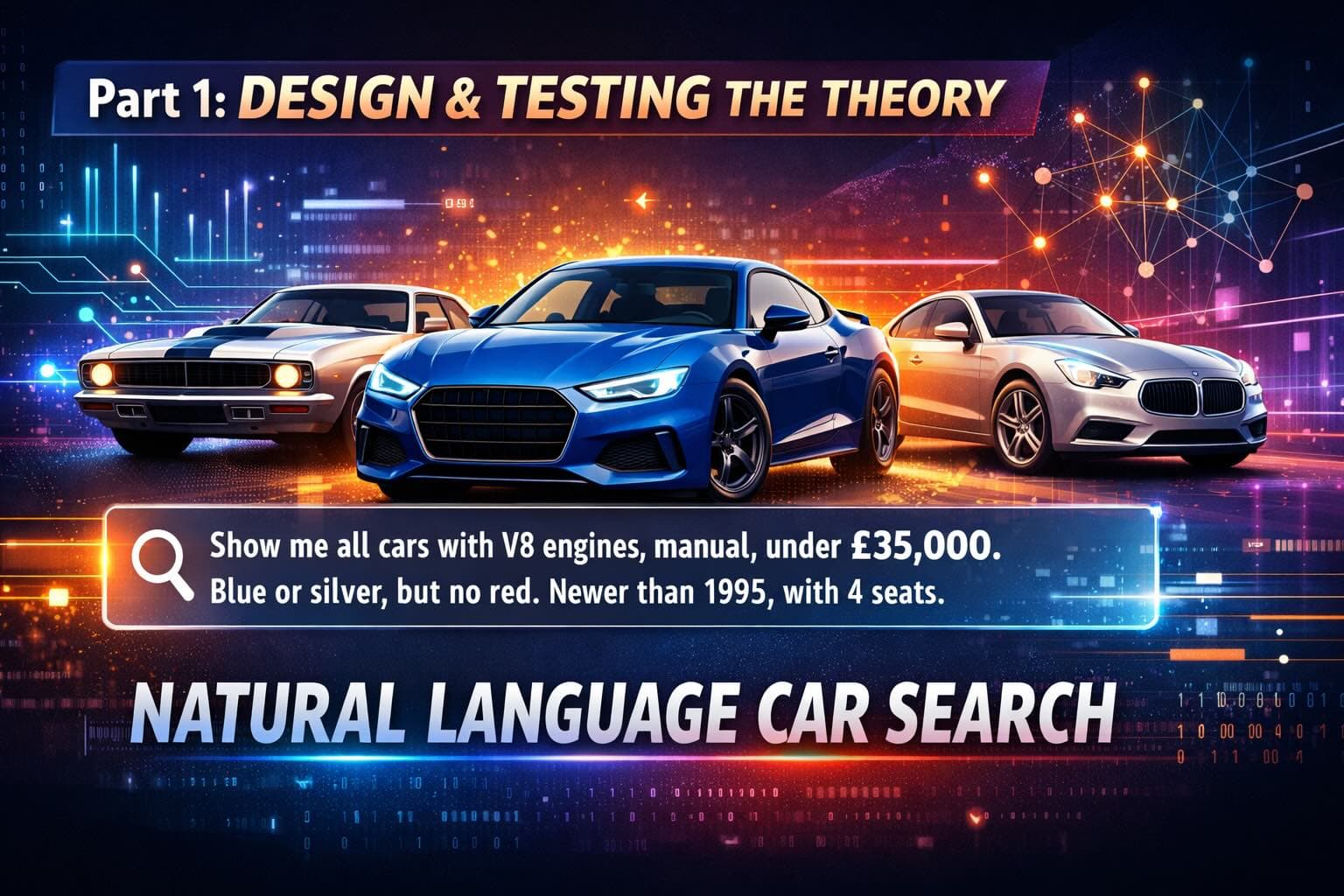
“Show me all cars for sale that have V8 engines, are manual and are under £35,000. I don’t mind if the car is blue or silver. But I definitely don’t want red. I want the car to be newer than 1995. I need 4 seats”
Starting with the basics — a bare bones car retrieval engine for our foundation
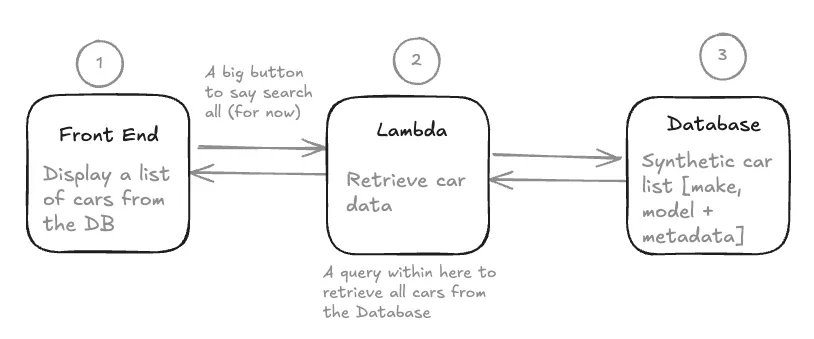
We need the basics first before we turn to NLP. In that case, we need a Database (DB) full of cars, a UI to show them and an intermediate server that can connect the two. I’d refer to this as a very simple web services architecture. We will not concern ourselves with caching, load balancing, edge locations etc. for now.
From a Database perspective, we need to store details of each car. Our current Database for Part 1 will consists of 12 cars. We will scale up our records in a subsequent post using ChatGPT to generate car data. Lastly we will seed our Database using a Docker alpine image of Postgres.
Regarding the Front End website, we want simple functionality for now. When we press the big search button, this should return a list of all the cars we have on record. The Front End website, written in React JS, calls our backend server — a NextJs Lambda, which is a simple service to interpret the website request. The Lambda then calls the Database for all car records. We then parse all these cars records back to our website. In total — 12 cars are returned (the current dataset). This marks the end of the basis car retrieval engine.
Moving from a Car Retrieval Engine to a Car Search Engine with Natural Language search capabilities in 4 steps.
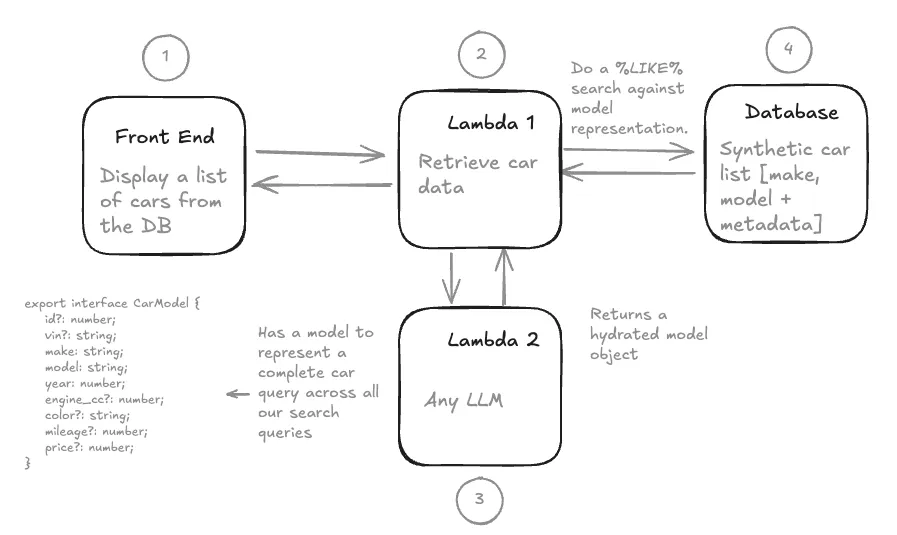
In order to implement Natural Language — there are 5 key changes we need to make to the traditional web service architecture.
1 — Changing the website to accept text input for a users Natural Language query. 2 — Building a Semantic Model to turn a users (unstructured) Natural Language search into a consistent structure of attributes to query our database. This is worth a deeper dive below. 3 — Implementing an LLM to parse from a users query to hydrate our semantic model. I’ve used Grok for this, but you can use any LLM via an API call. Our input into the LLM is the users query + rules + our semantic model. The return is a static semantic model object used to query our database. 4 — We need to define rules to assist our LLM in its conversion from NLP to our semantic model. 5 — Convert our semantic model to a RDBMS query. Note — it would actually be far easier now to search a NoSQL DB and compare JSON to JSON. However from experience, this is not how data of this type would actually be stored in large enterprise organisations.
Testing the Theory — and bringing it all together for Part 1
It works — but the system falls over fairly quickly based off the complexity of user queries. Using the prompt below — we are able to return very basic natural language results. e.g. “show me blue cars under £40,000” yields 2 results.
Thinking about these errors, I’d classify them into two categories.
1. A poor semantic model e.g. whats a V8?
Our current model of representing a car is pretty limited. We expect the model to interpret what a V8 engine is — but we have not specified this field in our semantic model. Nor do we even have this metadata stored in our database.
More generally, our semantic model is wrongly structured. We expect only one value to be assigned to each of our attributes. e.g. the colour should only be blue. However, our query is a lot more open — where the semantic model needs to account for more than one colour.
2. An Incomplete set of prompting rules which allows for too much LLM interpretation
Currently, we have 3 rules defined in our prompt. These are very basic and were designed to ensure that the LLM could map to our basic semantic model — be that either using Null/Empty values or mapping to specific type sets (numbers, strings etc.). As a result, we are giving the LLM too much freedom to interpret our query which fundamentally impacts the user experience by returning contradictory results.
Conclusion — finding the balance between prompt engineering and better system design
Thanks for reading this blog post. I appreciate its a fairly trivial example for now. But I hope you see the basic foundations we have built relatively quickly to achieve NLP integration. In the next post we will extend and evolve our design through a mixture of prompting and looking at our architecture.